How to Redeem Clean the Countries Codes
Practice the menu path now so a live drop takes ten seconds, not a whole session.
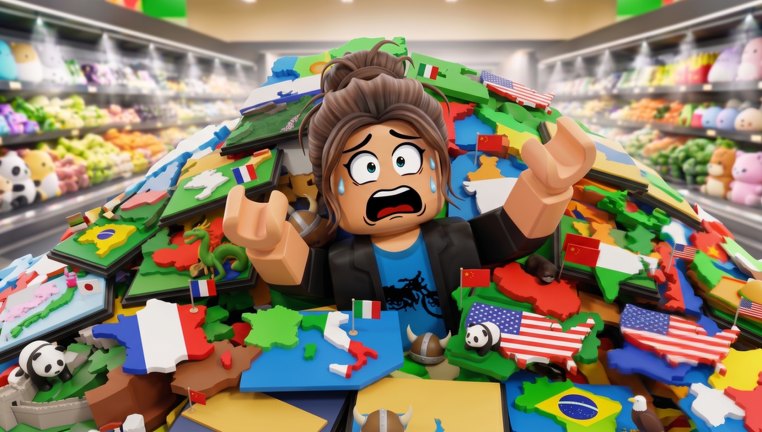
Redeeming a Roblox code is easy after you have seen the menu once. Clean the Countries is still a new Karpath Games place, and the studio has not published a screenshot of a Codes button in the official description. This page documents the safest path based on the binds they did publish, plus the patterns every tidy-up game on Roblox uses. Use it together with the codes hub, which stays empty until a string actually works.
Before you open the box
- Launch Clean the Countries on the account that should keep the reward.
- Finish the spawn camera so you can click HUD buttons. If you are buried in country pieces, press F to drop whatever you are holding so the cursor is free.
- Like the experience and join Karpath Games if the game asks. Some rewards are group-gated, not typed codes.
- Keep this wiki on a second screen. Codes are case-sensitive.
Do not redeem on a throwaway alt if you care about the leaderboard. Rewards bind to the account that types them.
Likely menu path
Karpath lists these PC binds on the Roblox page:
- E or Click — pickup / place
- F — drop
- Number keys — switch tool
- T — unlock equipment
- G — special ability
- Hold click — clean
On controller, Y opens upgrades. That matters because redeem boxes usually sit inside Shop, Upgrades, or a Twitter/codes icon on the left HUD — the same cluster as T / Y. Walk this order:
- Look at the left and top of the screen for Codes, Shop, Twitter, or a gift icon.
- If nothing is labelled Codes, press T (PC) or Y (controller) and scan the tabs at the bottom of the shop.
- Mobile players should tap the gear or shop stack after equipping a tool; camera freeze is common in this genre once a washer or grabber is out, so unequip first if taps do not register. The controls page covers that freeze.
- Type the string with no spaces unless the code itself contains them.
- Press Redeem / Enter once. Spamming the button can lock the box for the rest of the session.
When a public code exists, we will replace this “likely path” with exact button names. Until then, do not download a “codes GUI” from the scripts scene — those loaders are for other games and can steal your session cookie.
If the code fails
Read the toast before you assume the wiki is wrong:
- Invalid / Unknown — wrong game. Clean the Store and Clean the Library codes will never work here.
- Already redeemed — this account already took it. Alts are a separate Roblox account, not a second chance on the same one.
- Expired — milestone is over. We will move it to the Expired list on the codes hub.
- Must like / join group — complete the social gate, rejoin the server, try again.
- No box at all — you are in a private server or an old client. Rejoin the public experience.
What to spend the reward on
A cash code is not a win condition. Spend it on reach, carry count, or a cleaner that shortens hold-click time. Skip trails and pets until your countries route is stable. The how to clean faster guide explains why a second grab slot beats a shiny spray.
If the reward is a tool skin only, redeem it for collection and go back to sorting. Skins do not change pickup hitboxes in the official patch notes we have (see launch notes).
Co-op redeem etiquette
Online co-op is on: up to 20 players share one messy map. Codes are still per account, not per server. Each friend must type the string on their own client. Do not pause a timed run in the middle of a continent split to open shop unless the whole squad agrees — the players hub covers callouts for that.
After you redeem
Note the reward in chat, close the menu, and immediately drop (F) if a tool swapped in your hand. Then resume the shelf pass. New players should return to Getting Started instead of opening another menu. The fastest players treat codes as a ten-second pit stop, not a new activity.
When Karpath Games finally posts a working code, this page will gain a screenshot-style button order. Until that screenshot exists, the honest workflow is: social gates, T/Y shop cluster, type once, spend on reach, get back to the pile.
Frequently Asked Questions
Quick answers to the most common questions.
Where is the Codes button in Clean the Countries?
Karpath has not labelled it in the public description. Check the left HUD, then the shop opened with T on PC or Y on controller. We will pin the exact label when a drop is live.
Are codes case-sensitive?
Treat them as case-sensitive. Type the string exactly as listed on the codes hub, with no extra spaces.
Can my whole server share one code?
No. Each Roblox account redeems once. Online co-op does not pool typed rewards.
A YouTube video listed ten codes. Why are they missing here?
Those lists usually belong to other Clean-the-X games. This wiki only publishes strings that redeem on place 93529731049611.